Project Tracker
Overview
Operational clarity without the bureaucracy.
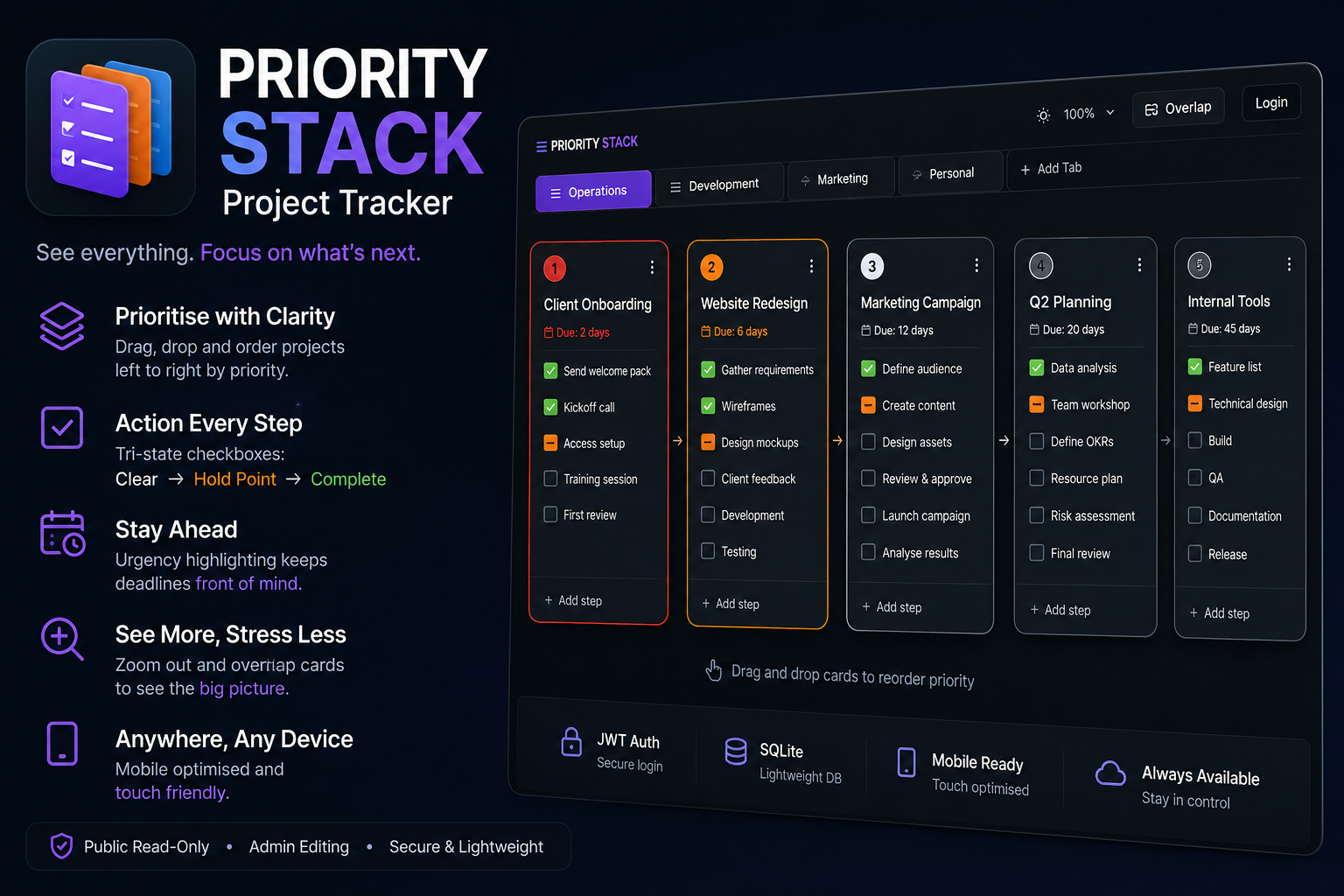
KHORTECH’s Project Tracker is a lightweight, highly visual project management tool built around a simple principle: your highest-priority work sits at the far left, and everything cascades rightward in order of operational importance. No Gantt charts, no burndown graphs, no quarterly planning dashboards — just a live stack of what matters right now, with tabs for different stacks, inline-editable tasks, tri-state progress tracking and due date visualisation cues.
It was built to solve a specific problem: too many project management tools require more overhead than the projects themselves. This system strips away everything non-essential and optimises for speed, visibility, and low cognitive load.
Technical Approach
The architecture splits cleanly across a React frontend and a Node.js backend, deliberately choosing lightweight, modern tools that stay out of the way:
| Layer | Technology |
|---|---|
| Frontend | React + TypeScript + Vite |
| Styling | TailwindCSS (dark mode default) |
| Drag & Drop | @dnd-kit |
| State | Zustand |
| Backend | Node.js + Express |
| Database | SQLite |
| Auth | JWT (email/password) |
| Hosting | GitHub Pages (frontend) / Linux VPS (API) |
Core Design Decisions
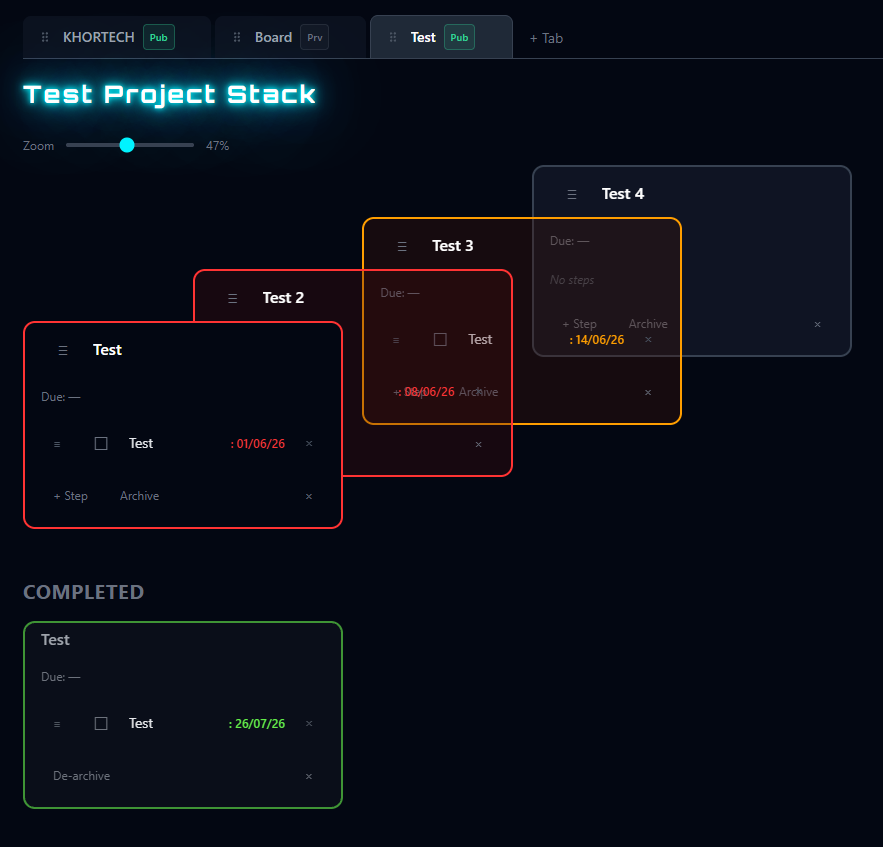
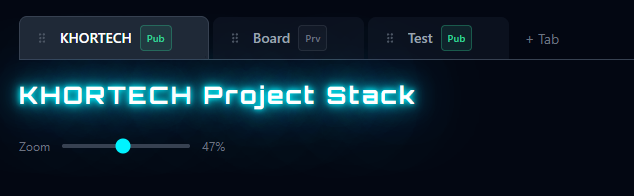
- Project Stack - Projects are “stacked” in order of priority with each “stack” represented under its own tab across the top like a browser. A stack might be “work”, “Home” or “Sport” with all the projects specific to that stack prioritised within it.
- Priority as position — Horizontal order is priority. Leftmost is highest urgency. Reordering via drag-and-drop immediately rewrites priority.
- Tri-state checkboxes — Tasks cycle through
PENDING → HOLD_POINT → COMPLETE. The “Hold Point” state captures the reality of blocked or waiting work without marking it falsely complete. - Urgency highlighting — Due dates glow in three stages: neon red (≤7 days), neon orange (≤14 days), and subdued white (>14 days). Projects nearing deadline get bold, distinct card highlighting.
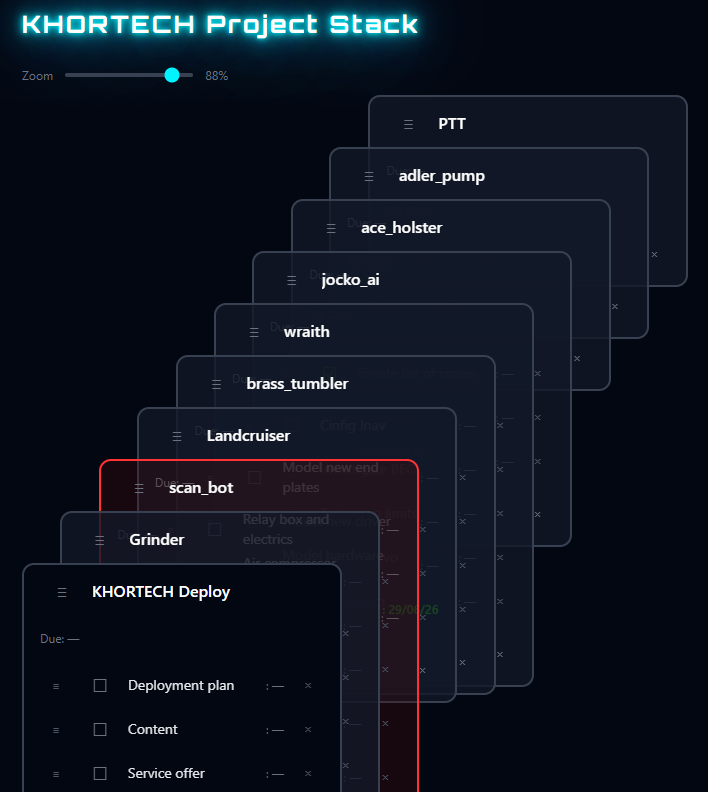
- Unique overlap zoom — Zooming doesn’t scale text or cards; it adjusts horizontal overlap with a vertical cascade, letting you fit the entire stack on one screen or zoom in for detail. Clicking on a card regardless of zoom brings it to the front for visibility and editing.
- Zero-modality editing — Every field is click-to-edit. No popups, no navigate-away screens, no confirmation dialogs. Enter confirms, Escape cancels, and auto-save debounces at 500ms.
Execution
Building the Stack
The build followed an iterative, component-first approach across eleven phases:
- Scaffold & tooling — Vite + React + TypeScript, TailwindCSS with dark-theme tokens, and @dnd-kit for drag-and-drop.
- Data layer — Zustand store with TypeScript interfaces for
Project,Step, and tri-stateStepStatus. LocalStorage adapter as a fallback until the API was live. - Core UI —
ProjectCardandStepItemcomponents with neon-accented dark styling,DueDateBadgewith three-stage urgency colouring, and horizontalProjectStack/ArchivedRowcontainers. - Drag-and-drop — Project-level and step-level reordering via @dnd-kit, with subtle <150ms transitions and 44×44dp touch targets.
- Inline editing — Click-to-edit on titles, step content, and due dates with keyboard shortcuts and debounced auto-save.
- Zoom / overlap view — Scroll-wheel, slider, and pinch-gesture zoom implemented as card overlap rather than scale transforms, with vertical cascading to preserve title readability.
- Backend API — Express server with SQLite, Zod validation, and full CRUD for projects and steps.
- Authentication — JWT-based admin login with persistent sessions, protected edit routes, and fully public read-only access.
- Frontend-backend integration — API client layer with automatic Bearer token refresh, optimistic UI updates, and graceful error handling.
- Mobile optimisation — Rotatable view toggle, thumb-friendly scroll, removal of hover-dependent interactions, and large inline-editing tap targets.
- Deployment — GitHub Pages auto-deploy via Actions for the frontend; Node.js + PM2 + Caddy reverse proxy on a Linux VPS for the backend API.
Deployment Architecture
GitHub Pages (Frontend)
       │
       ▼
HTTPS ───────────────────────────────► Caddy (Reverse Proxy)
                                          │
                                          ▼
                                    Node.js API (Port 3001)
                                          │
                                          ▼
                                      SQLite DB
The frontend deploys automatically on every push to main. The backend runs as a PM2-managed process on jocko.ai (203.57.51.49) with systemd auto-start, behind a Caddy reverse proxy handling TLS termination and CORS for the GitHub Pages origin.
Live Demo
Frontend: https://mgreenhough.github.io/project_tracker
Specifications
| Parameter | Value |
|---|---|
| Frontend Framework | React 18 + TypeScript 5 |
| Build Tool | Vite |
| Styling | TailwindCSS (dark mode) |
| State Management | Zustand |
| Drag & Drop | @dnd-kit/core + sortable |
| Backend Runtime | Node.js 22 |
| API Framework | Express |
| Database | SQLite |
| Authentication | JWT (access + refresh tokens) |
| Hosting | GitHub Pages / Linux VPS |
| Process Manager | PM2 + systemd |
| Reverse Proxy | Caddy |
Project Files
Future Upgrade: Multi-User Support
Collaboration isn’t a feature you bolt on later — it’s an architectural commitment. The current Project Tracker is built around a single-user model: one account, one view, one authority. Multi-user support would change the shape of the system entirely, introducing shared ownership, permission boundaries, and real-time coordination.
What’s Different at Scale
| Dimension | Single-User (Now) | Multi-User (Future) |
|---|---|---|
| Authentication | Simple JWT login | OAuth2 + Username/Password |
| Authorisation | One admin flag | Role-based access control |
| Data Ownership | Everything belongs to the logged-in user | Projects linked to owners and teams |
| Invitations | None | Email-based invite links |
| Sharing | None | Public/private project links |
Planned Architecture
- OAuth2 Integration — Support for Google and GitHub sign-in alongside traditional username/password registration. New users get a default
userrole; existing admin accounts retain full privileges. - Role-Based Access Control — Three permission tiers:
Owner— Full CRUD over projects, can invite collaborators, can delete projects entirely.Editor— Can add, edit, reorder, and complete tasks and steps. Cannot delete the project or change core metadata.Viewer— Read-only access to project boards; useful for stakeholders who need visibility without write permissions.
- Project Ownership & Teams — Each project gets an
ownerIdlinking it to the creating user. Owners can invite others by email, generating a secure invite token with an expiry. Collaborators accept via a one-click link. - Public Sharing Links — Owners can generate read-only or editable share URLs for external stakeholders who don’t need full team membership.
- Real-Time UI Updates — WebSocket or Server-Sent Events layer so collaborators see live changes without refreshing — critical when multiple people are dragging cards or updating task status simultaneously.
Why It Matters
Right now, the Project Tracker is a personal force-multiplier. Multi-user support turns it into a team operating system — something a squad can gather around, prioritise collectively, and trust as a single source of truth. The infrastructure for it (SQLite relational schema, JWT auth scaffolding, Zustand state layer) is already in place; the work is largely about extending the data model and adding the coordination layer.
Warning
This project is 100% vibe-coded. It is not robust, not complete, and not supported or maintained to any production standard.
In the interest of efficiency and achieving an MVP as fast as possible, quality, robustness, and long-term maintainability were knowingly deprioritised.
This is an experimental, exploratory build — not a polished or supported product. You are free to use it under the terms of the MIT License, but do so at your own risk.
That said, contributions, issues, and improvements are welcome. If you spot a problem or have an idea, feel free to open an issue or submit a PR — I’ll address things where time and interest permit, but no guarantees.